Start with your space.
Set the dimensions. Add a room, then another. Make a plan that follows your home.
 MIDAOpen studio
 WEB STUDIO · IPHONE & IPAD IN THE MAKING
A room you know. A layout you haven’t met yet.
Measure, arrange, and make it yours with MIDA.
Drag to rearrange. Pull the corner to resize. Arrow keys work, too.
01 / A DIFFERENT POINT OF VIEW
That sofa you’ve been thinking about. A table for two more. A quiet corner, just for you.
MIDA gives your ideas a little room. Start with the space you have, try the things you love, and find a layout that feels right.
A 4 × 4 room is a good place to startSet the dimensions. Add a room, then another. Make a plan that follows your home.
Pick from the library. Move, resize, and try a different angle. Every piece has its place.
A warmer sofa. A softer palette. Keep the dimensions on, or let the plan breathe.
02 / OBJECTS WITH POSSIBILITIES
Recognizable shapes. Adjustable sizes.
From a favorite armchair to the kitchen sink.
A selection from our growing library. Generic furniture, with dimensions you can make your own.
03 / YOUR SPACE, YOUR SCREEN
Make room for your ideas on the web today. MIDA for iPhone and iPad is on its way.
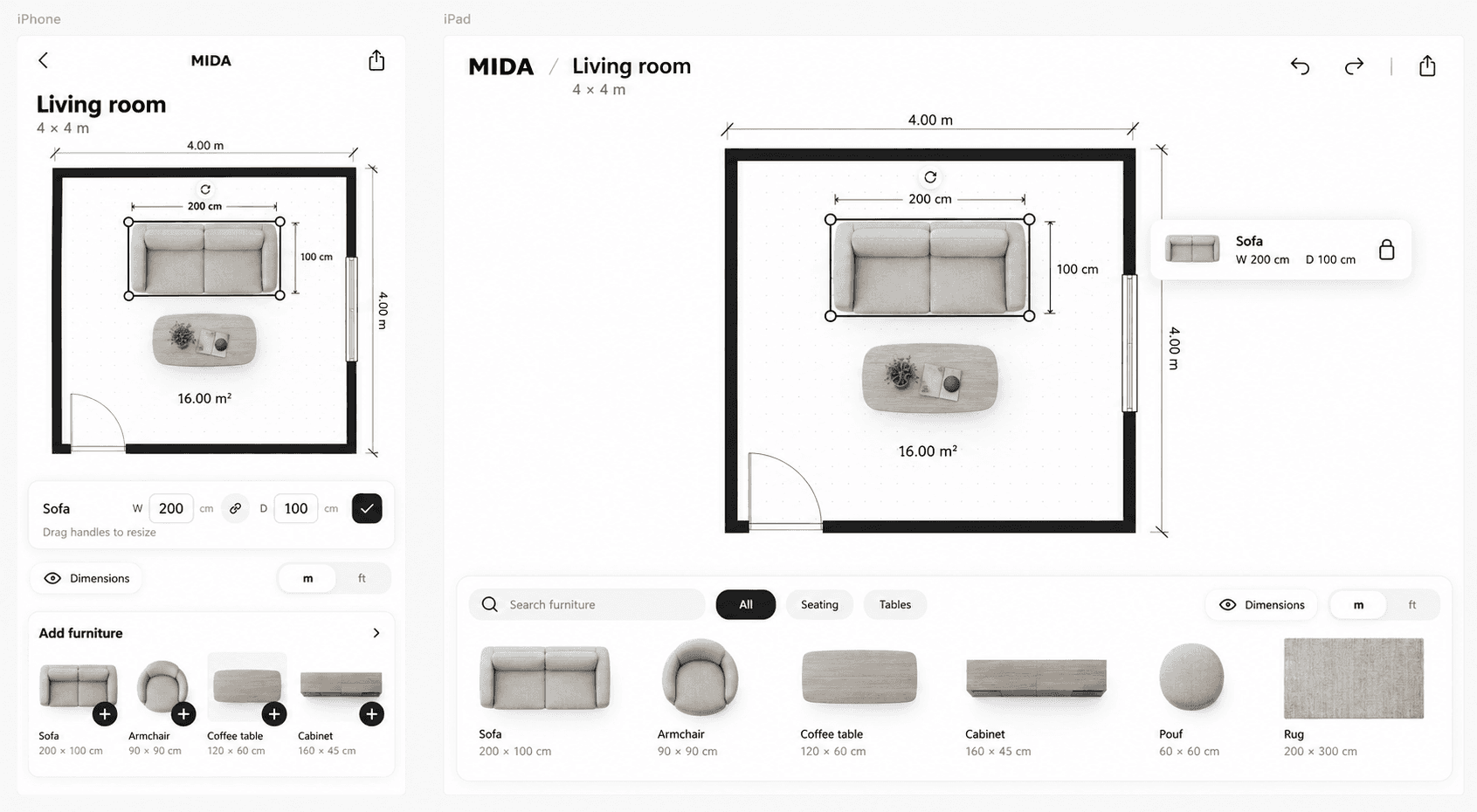
Your full planning space.
Open a browser and make yourself at home.
A little space for your next idea.
Designed to go wherever you do.
A bigger canvas for your home.
More room to explore every possibility.
04 / A FEW DETAILS
MIDA Studio is available to try in your browser. Create projects, connect rooms, and arrange furniture. Plans are saved on this device. The iPhone and iPad apps are still in development.
Beautifully, deliberately 2D. A top-down plan keeps the focus on your layout, the space between things, and the measurements that matter.
Yes. The app is being built around editable dimensions. Start with an object from the library, then enter your own width and depth or resize it on the plan. The web preview lets you try both.
Open MIDA Studio to create multiple rooms in one plan, connect them along shared walls, and add doors and windows. The preview on this page demonstrates a single room.
Yes. Switch between meters and decimal feet in the preview. Your layout stays the same size; only the displayed units change.
YOUR NEXT IDEA STARTS HERE
A small preview of what’s taking shape.